
Managing Sub-users
Adding a sub-user
-
Login to the Client Portal
-
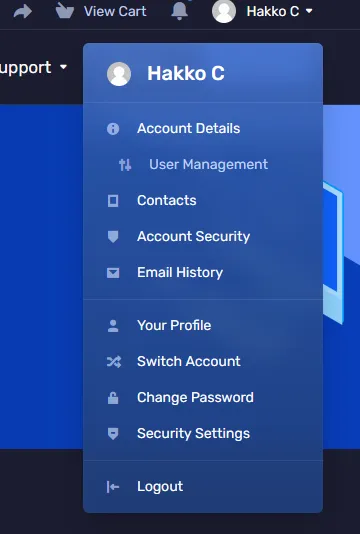
Click on your name on the top right and choose “User Management”
- Choose “Invite New User” and then fill out the corresponding email address & assign the permissions.
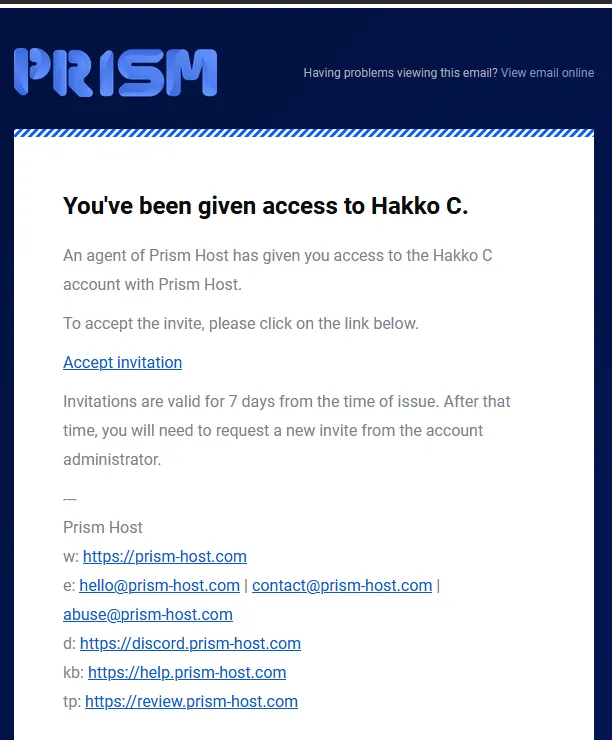
- Once sent, the user will receive an email inviting them to your account. They need to click “Accept Invitation” in order to accept the invitation.
Removing a sub-user
-
Login to the Client Portal
-
Click on your name on the top right and choose “User Management”
- Click the remove access button on the user you want to remove.

-
Click “Confirm” to confirm the removal.
-
If the account was removed successfully, you’ll receive a confirmation message stating “User Removed Successfully!”
